

Features
Draw once. Send it anywhere.
Coach Play Studio does three jobs from one structured play format: drawing, animating, and getting the play to the person who needs to see it.
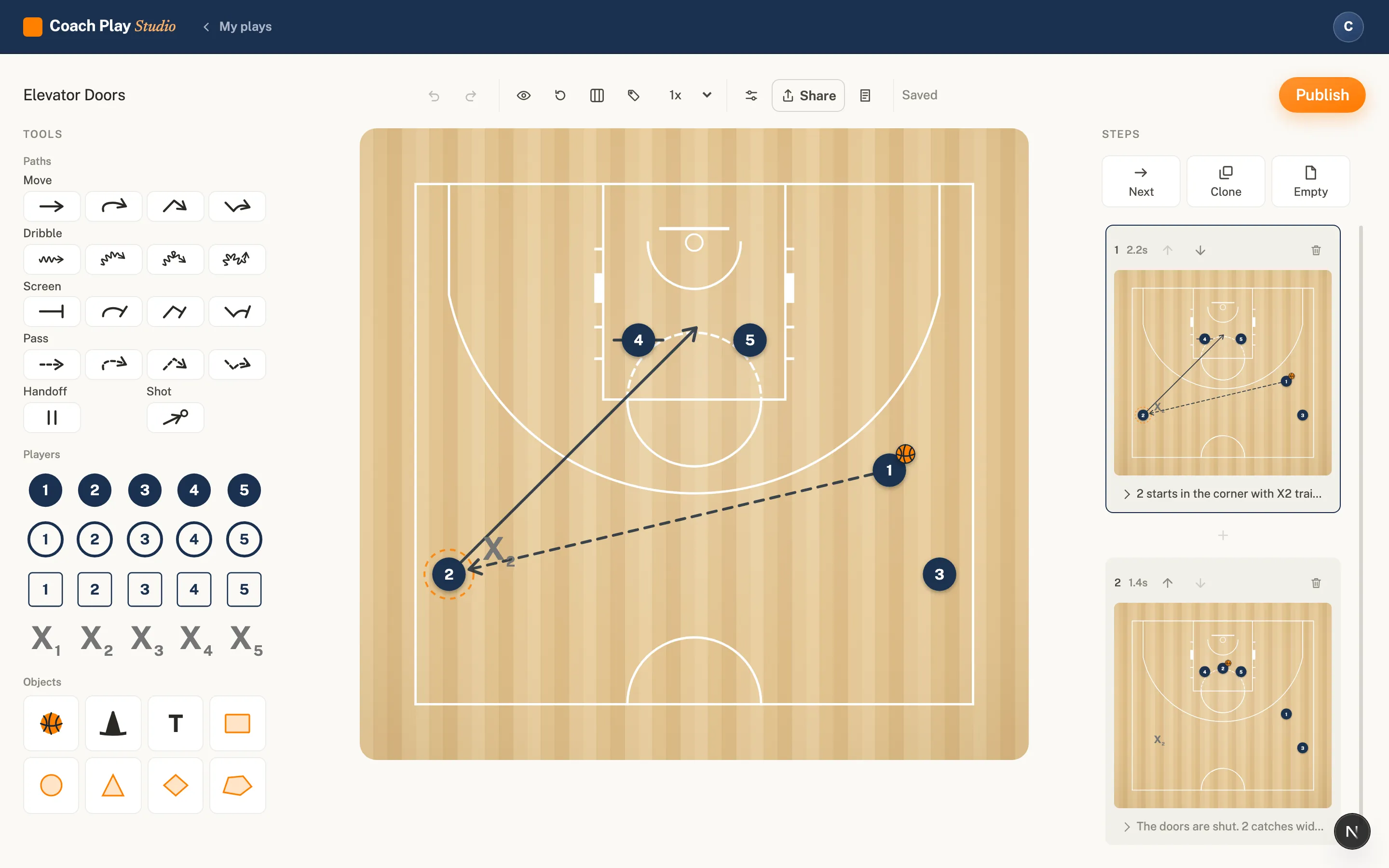
Draw on a real court
Half court or full court, FIBA lines, chosen when you create the play. Start on an empty floor or from a named set with five players already in it.
Steps, like paper
A play is a sequence of steps. Paused, each step shows the tokens on their spots with the arrows for what happens next, exactly how a play is drawn on a whiteboard.
Basketball actions, basketball words
Cuts, screens, dribbles, passes, handoffs and shots, labeled the way a coach says them out loud: curl, backdoor, flare, roll, pin-down, ball screen.
Animation that respects the play
Real timing, not a slideshow
Each step has its own duration, and every action has its own start and length inside it. A screen can arrive before the cut comes off it, because that is how the play works.
Smooth paths
Movement paths are curves you shape, not straight arrows. The dribble bends around the screen the way the ball handler would.
You export what you see
Token styles, labels and court orientation carry through to every picture and video, so what you send is exactly what you set up.
Sending it
A link anybody can open
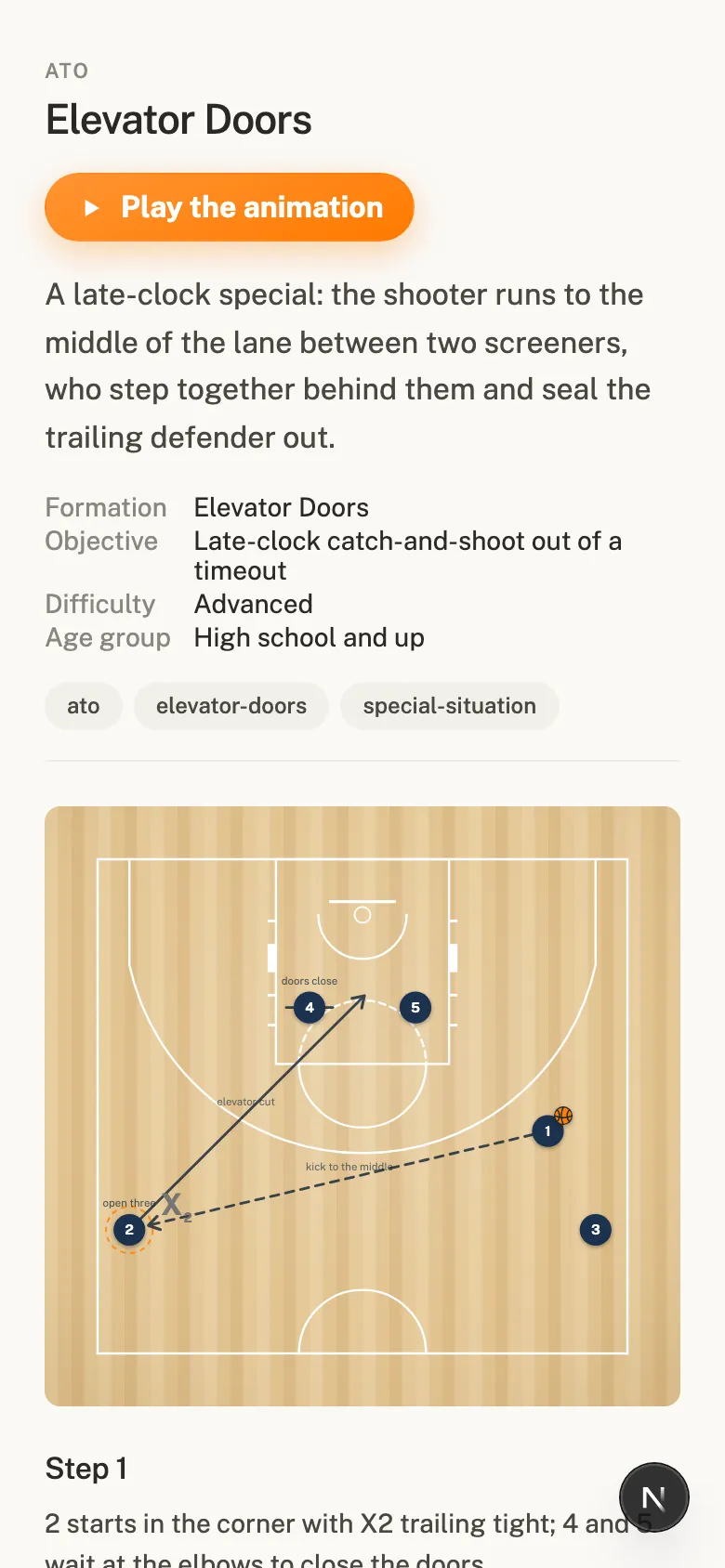
One tap makes a share link. It opens in any browser with no account and no app, edits show up on it straight away, and unsharing takes it back.
A picture of any step
Save any step as a sharp 1920 pixel image, big enough to print and pin up in the locker room. Included on the free plan.
An embed for your own site
A plain iframe for your team page or blog, with toggles for the title, notes and animation button. Also free.
An MP4 for the team chat
Export any play as a video and drop it where your team already talks. Video is part of the Coach plan.
Preview before you send
See any play exactly as a reader will see it before you make the link. No surprises on the other end.
Private by default
Nothing leaves the Studio until you create a link, one play at a time, on purpose. Links are random, so nothing is findable by guessing.
The libraries
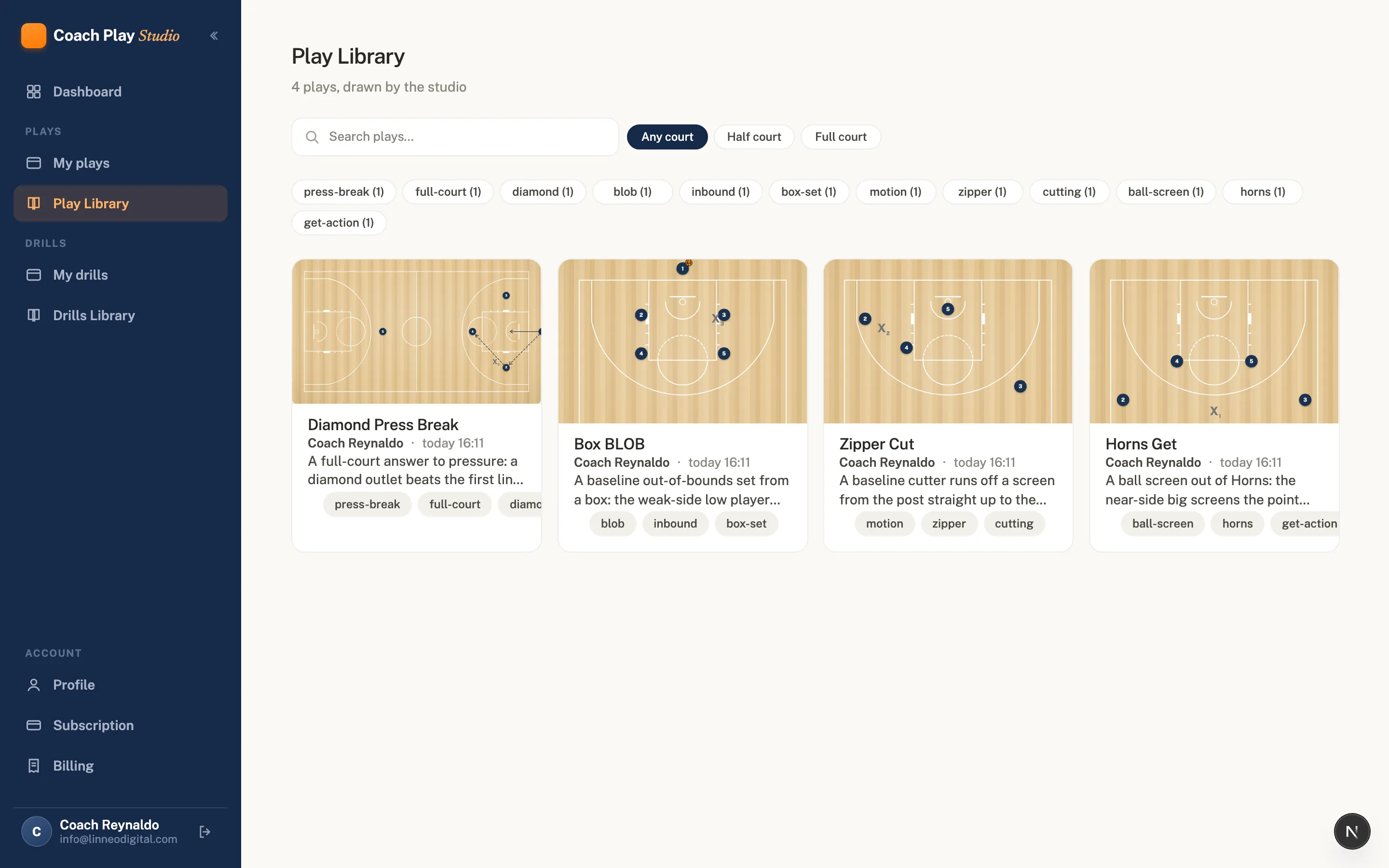
The Play Library
Plays we draw and publish, searchable by category and tags, filterable by half or full court. Part of the Coach plan, and growing as we build it.
The Drills Library
Drills are their own shelf, because a coach looks for a drill differently than a play. Same treatment: diagram thumbnails, tags, search.
Save a copy, make it yours
Any library play can be copied into your own plays and edited freely. Adapt it to your personnel, because a play you cannot adapt is no use to you.
Works where you coach
Touch is a first-class input, not a port: every screen works on a phone and a tablet, and nothing depends on hover or a keyboard. Add the Studio to your home screen and it opens standalone, with shortcuts straight to My plays, My drills and the library. Shared plays are plain server-rendered pages, so a diagram shows even before any script loads.
Ready to build your play library?
Three plays, the full editor, no card, no expiry. Draw one play and send the link tonight.