

Basketball plays
One play, all the way through
This is Horns Get: a ball screen out of Horns. The near-side big screens the point guard at the top, then rolls. Below is what one drawn play gives you, and the data that makes it possible.
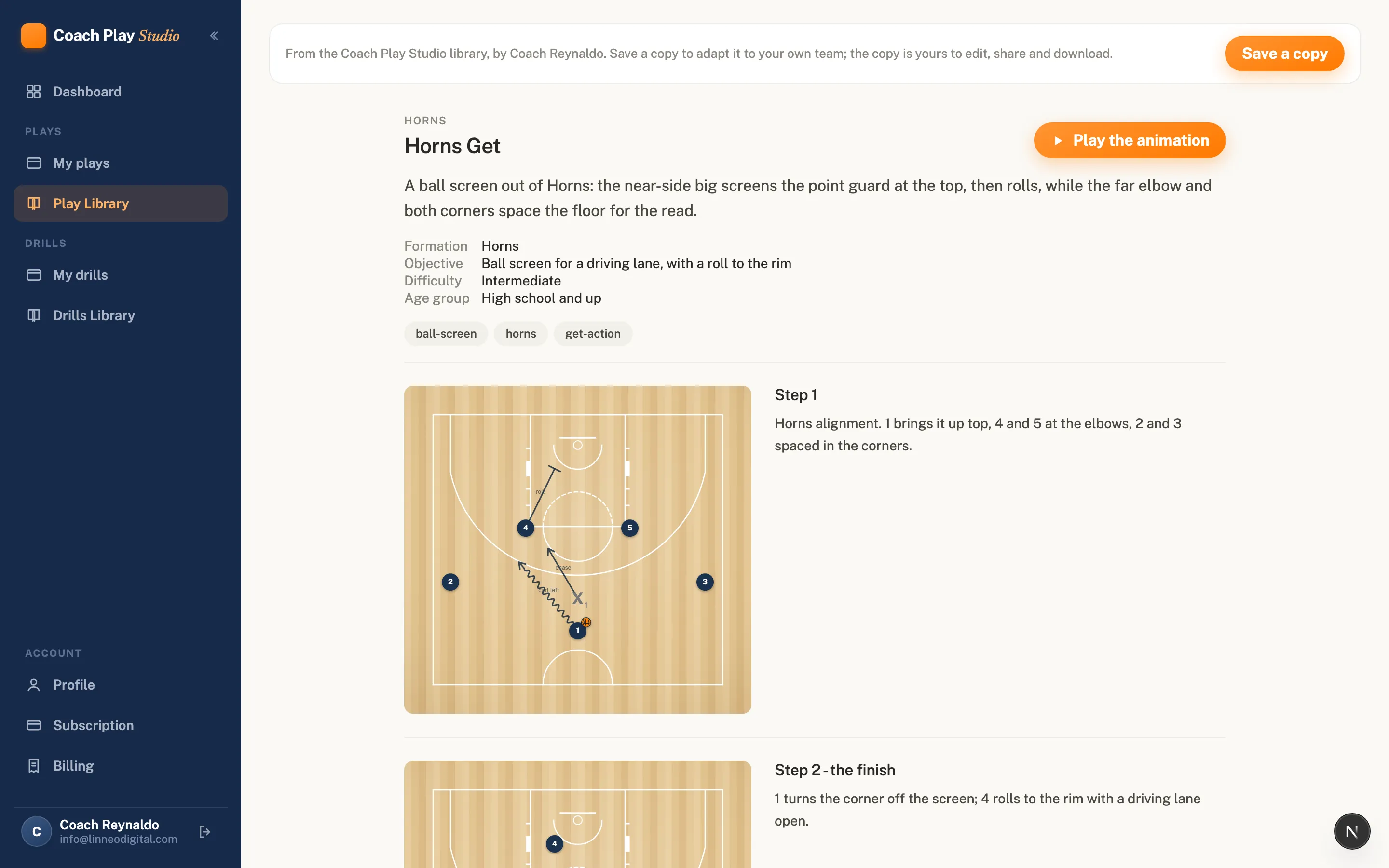
Watching it animate, a player sees the timing: the screen arrives first, then the guard turns the corner off it, then the roll opens behind the play. No arrows to decode on a frozen diagram.
The same play on the other end of a link
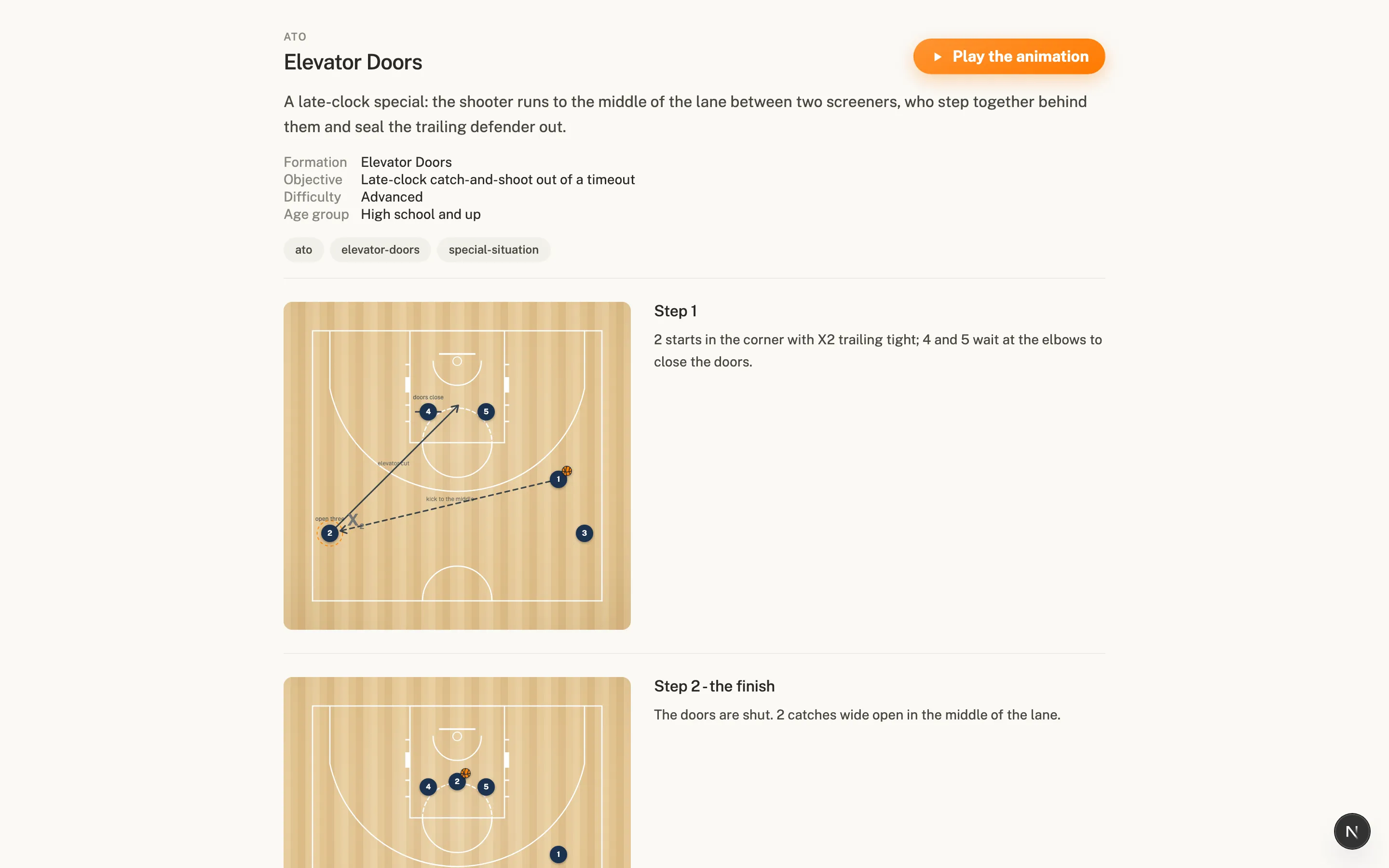
A share link opens a page like this in any browser: no account, no download. The same play also saves as a sharp 1920 pixel picture of any step, embeds on your own site as a plain iframe with toggles for the title, notes and animation button, and exports as an MP4 on the Coach plan. None of these were made separately; they all render from the same data, so an edit to the play reaches every format.
What's actually underneath
Horns Get is not a picture. It is a structured record, and this is a trimmed excerpt of the real thing:
{
  "play": {
    "schemaVersion": "3.0.0",
    "id": "PLAY-1101",
    "name": "Horns Get",
    "category": "Horns",
    "formation": "Horns",
    "objective": "Ball screen for a driving lane, with a roll to the rim",
    "courtType": "half-fiba",
    "tags": ["ball-screen", "horns", "get-action"]
  },
  "frames": [
    {
      "index": 1,
      "note": "Horns alignment. 1 up top, 4 and 5 at the elbows, shooters in the corners.",
      "durationMs": 2200,
      "objects": [
        { "id": "p1", "type": "player-offense", "label": "1", "x": 0.5, "y": 0.8 },
        { "id": "p4", "type": "player-offense", "label": "4", "x": 0.32, "y": 0.42 },
        { "id": "ball", "type": "ball", "attachedTo": "p1" }
      ],
      "movements": [
        { "type": "dribble", "actor": "p1", "label": "curl left", "speed": "normal",
          "path": [[0.5, 0.8], [0.3, 0.55]], "startAt": 0, "duration": 0.7 },
        { "type": "player_move", "actor": "p4", "label": "roll", "speed": "fast",
          "path": [[0.32, 0.42], [0.42, 0.2]], "startAt": 0.3, "duration": 0.6 }
      ],
      "events": [
        { "type": "screen", "actor": "p4", "target": "p1",
          "label": "ball screen", "at": 0.1, "duration": 0.5 }
      ]
    }
  ]
}- Frames are steps. Each is a full snapshot of where everyone stands, with its own note and its own duration. Paused, a step reads like a page of a paper playbook.
- Timing is real. The screen starts at 0.1 and the roll at 0.3, inside the same step. Actions overlap the way basketball does, which is why the animation looks like a play and not a slideshow.
- "label": "ball screen" is free text in a coach's own vocabulary. The primitives underneath stay small and frozen, so a new concept never needs a new format.
- Coordinates are normalized 0 to 1 against the court, so the same play renders on any screen, any court drawing, any export size.
Draw your own Horns Get
The free plan keeps three plays. Draw a set, press play, and send the link to somebody.